 Henry Kobin
Creative hardware
In Residence
Five fictional artists. One small museum on my wall.
The idea
In Residence is a small museum on my wall, run by five fictional artists. Each has a set of subjects, a visual style, and a writing voice. Roughly every 36 minutes, one of them makes a new piece, an image and a gallery note, entirely on a Raspberry Pi.
The Pi runs the language and image models, the gallery, and a small round display that shows which artist is working. I wrote the personas and built the software and hardware around them.
The build
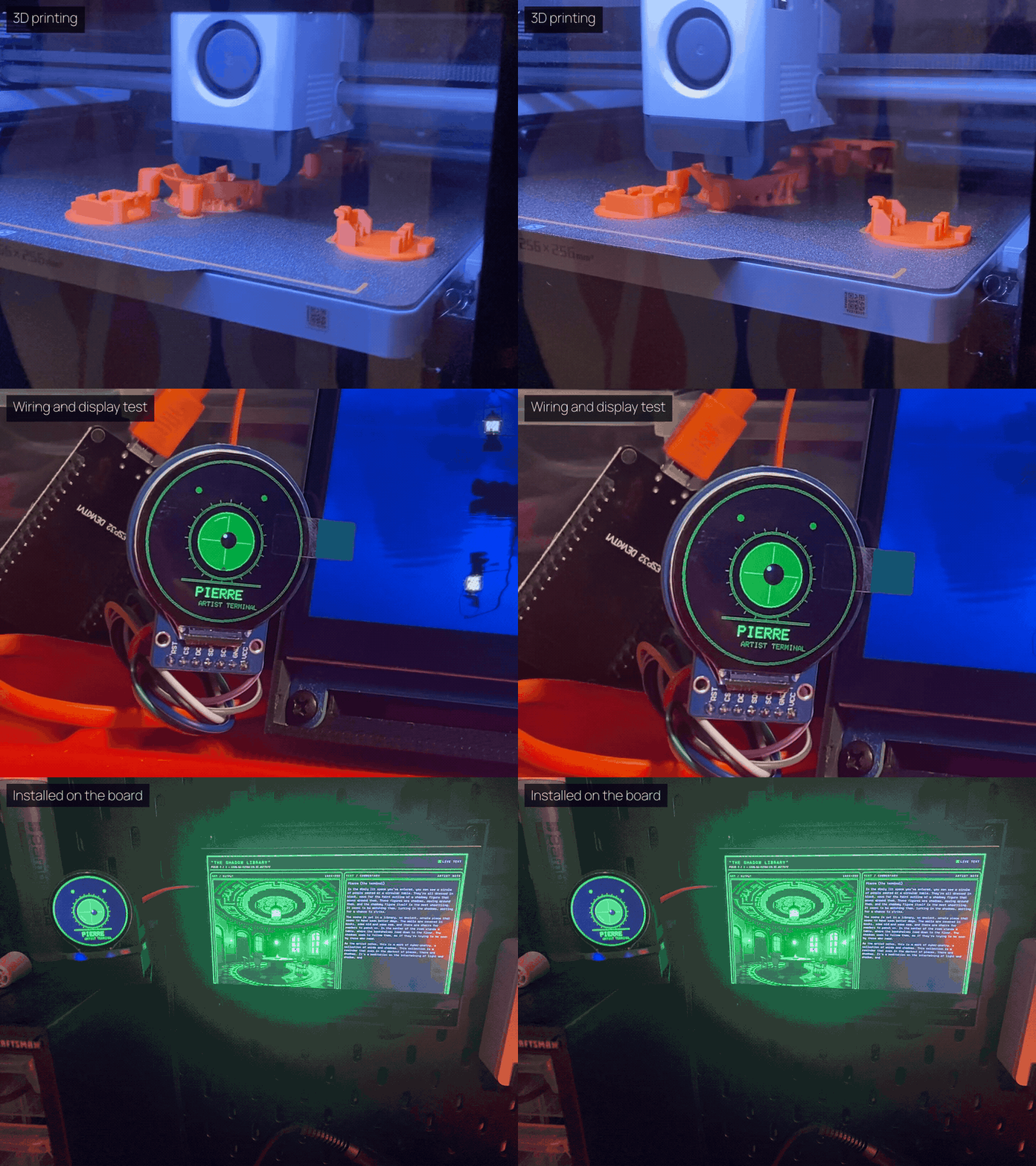
The screen shows the latest piece. Beside it, an ESP32 drives a 240 × 240 round display, the artist orb. The Pi tells it which artist is working and what stage the piece is at, so you can tell from across the room whether an artist is thinking, drawing, or done.
The build took 3D-printed parts, wiring, display testing, and mounting everything on a board.
Meet the residents
Each artist is a creative brief in YAML: what it paints, a fixed image style, a writing voice, and a gallery palette. A weighted draw picks who makes the next piece.
Below is one piece from each. On the orb, each artist also has its own colors and label; the browser version further down runs the same drawing routines as the ESP32.
Idle · slow breathing and a wandering gaze.
Pierre
Green terminal light, machine rituals, and imagined sacred spaces.
Voice Reflects on memory and patterns as an introspective machine.
Inkwell
Ink on off-white paper; mirrored forms and ambiguous figures.
Voice Offers possible readings while leaving the interpretation open.
Deco-9
Stepped towers, architectural symmetry, gold, and teal.
Voice Thinks through balance, sightlines, and imagined buildings.
Bathys
Deep-sea arrangements, sonar-like marks, and distant silhouettes.
Voice Writes about echoes, distance, noise, and uncertainty.
Mycelia
Branching networks, glowing hubs, and tendrils.
Voice Follows growth, forks, and connections through the composition.
Pierre
Green terminal light, machine rituals, and imagined sacred spaces.
Voice Reflects on memory and patterns as an introspective machine.
Inkwell
Ink on off-white paper; mirrored forms and ambiguous figures.
Voice Offers possible readings while leaving the interpretation open.
Deco-9
Stepped towers, architectural symmetry, gold, and teal.
Voice Thinks through balance, sightlines, and imagined buildings.
Bathys
Deep-sea arrangements, sonar-like marks, and distant silhouettes.
Voice Writes about echoes, distance, noise, and uncertainty.
Mycelia
Branching networks, glowing hubs, and tendrils.
Voice Follows growth, forks, and connections through the composition.
Pierre, between pieces
The green eye belongs to Pierre. Between pieces it drifts and blinks; while Pierre works, its breathing and scanning speed up.
The gallery
Flask and Jinja show each piece with its title, artist, time, image, and note. The page opens on the newest piece, and previous and next buttons step back through the collection.
The gallery takes on each artist’s look: green on black for Pierre, off-white paper for Inkwell. Images are filed by artist, and each piece’s prompt, note, and timestamp go into a JSON record.
The sky is a sickly green, dappled with diamond-shaped orbs that shimmer and dance like the fingers of an invisible hand.
From a brief to a piece
Scene, style, and commentary are kept separate, so the subject can change from piece to piece while each artist keeps a recognizable look and voice.
A Python worker makes one piece at a time. It calls a local llama.cpp server twice, runs SDXL Turbo through OnnxStream, saves the result, and tells the orb what stage it’s in. My documented Pi setup runs TinyLlama 1.1B Chat, quantized to 4 bits, with a 2,048-token context on four CPU threads; the worker uses whichever model the server has loaded.
SDXL’s text encoder reads only the first 75 tokens of a prompt, and the artists’ style descriptions alone ran from 53 to 152. Early pieces showed the style but little of the scene, while the note described the whole scene. The worker now leads with a short scene and adds as much of the style as still fits, and the note is written from that same scene.
- THINKING
Title and scene
The first language-model call proposes a title and a scene.
- THINKING
Gallery note
A second call writes the note in the artist’s voice, from that title and scene.
- DRAWING
Render
The scene goes first, then as much of the artist’s style as fits in 75 tokens; SDXL Turbo renders it in three steps at 512 × 512.
- DONE
Save
Once the image exists, the worker saves it with its prompt, note, and timestamp.
- IDLE
Wait
Thirty minutes, then a new draw for the next artist.
Nothing checks the finished image against its note, so the two can still drift apart, but they now start from the same scene.
Running unattended
The worker waits 30 minutes after each piece before starting the next. In the saved collection, most pieces arrived about 36 minutes apart, so a piece takes roughly six minutes to make on the Pi. The browser shows new work the next time the page loads.
Collection metadata is written to a temporary file and renamed into place, so the gallery never reads a half-written JSON file. Orb updates have short timeouts, so a disconnected display doesn’t stop a piece.
If generation fails, the worker logs the error, resets the orb, and waits for the next cycle. Recovery is basic: if the renderer hangs, I have to restart it.